
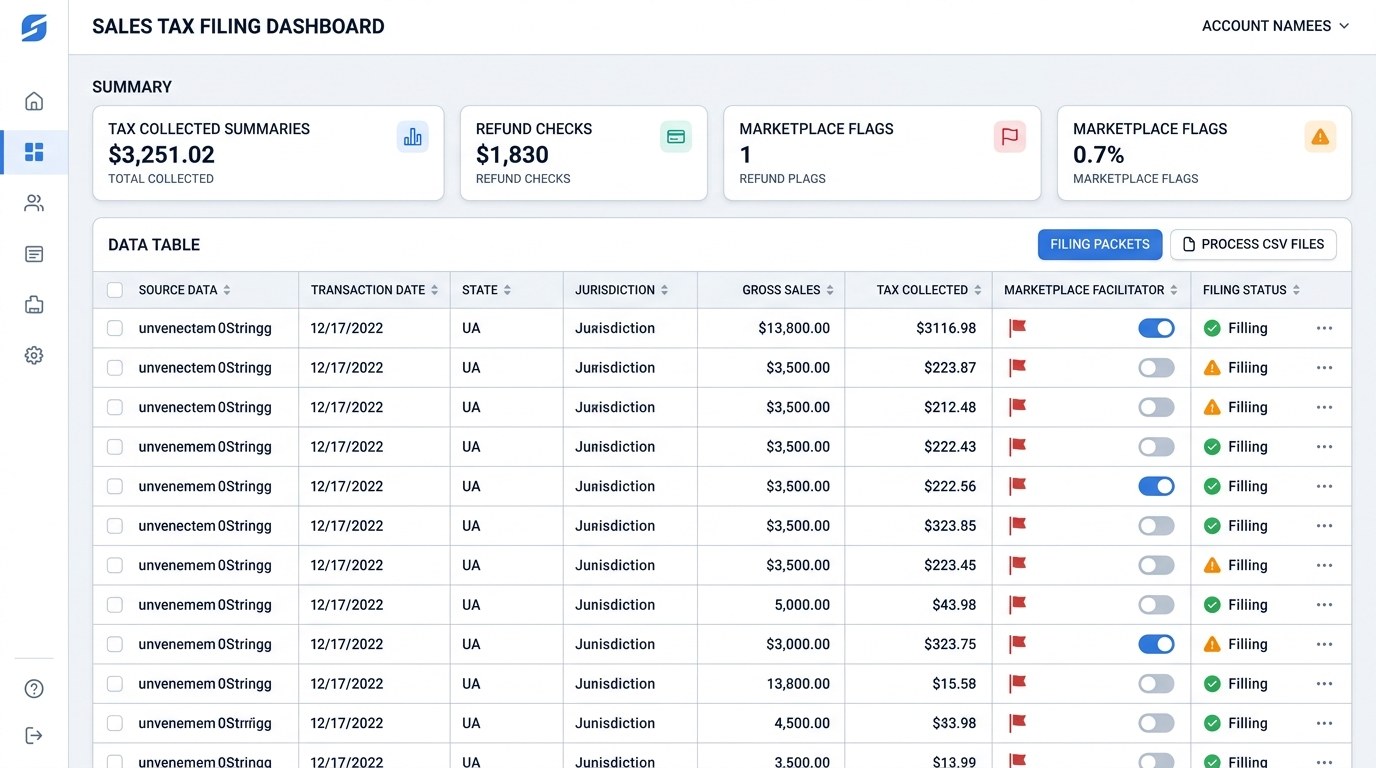
CSV is easy to export from ecommerce, marketplace, and finance systems.
Rows and columns make validation easier than screenshots or PDFs.
Good CSV files become the backbone of a filing packet.
Quick answer.
CSV reports are one of the cleanest ways to start a sales tax filing workflow. RFC 4180 describes CSV as a common format for exchanging tabular data, and many ecommerce platforms export order data in CSV format. Shopify, for example, lets merchants export order and transaction history data from the admin, including order fields such as taxes, payment status, subtotal, shipping, and transaction information.
But a CSV is only useful if it includes the right fields. A file with total sales but no state, channel, date, refund, or tax-collected detail may be too thin for reliable filing. AtomicTax uses CSV reports as source evidence, then turns them into state-specific filing packets with marketplace separation, review notes, and archived proof.
CSV fields that matter for sales tax filing.
The best CSV for sales tax filing is order-level or transaction-level, not just a summary. State returns often require totals, but the review process needs enough detail to explain those totals.
- Order or transaction ID: unique identifier for traceability.
- Transaction date: used to confirm the filing period.
- Customer destination: state, ZIP code, city, county, or full ship-to address when available.
- Sales channel: direct store, marketplace, wholesale, manual order, POS, or subscription platform.
- Gross sales: total sales before filing adjustments.
- Taxable sales: sales included in the tax base.
- Tax collected: tax charged to the customer or collected by a marketplace.
- Refunds: returned merchandise, cancelled orders, tax refunds, and credits.
- Marketplace flag: whether the tax was collected by Amazon, Walmart, Etsy, eBay, or another facilitator.
Common CSV sources for ecommerce sellers.
Most merchants do not have one perfect sales tax file. They have several exports that need to be reconciled. CSV works because it can travel between ecommerce systems, spreadsheet tools, accounting software, and filing workflows.
- Shopify exports: order and transaction history CSV files can include order, payment, tax, and customer data.
- Marketplace exports: Amazon, Walmart, Etsy, eBay, and other marketplaces often provide sales and tax reports by period.
- Payment processor exports: Stripe, PayPal, and other processors help reconcile deposits and refunds.
- Accounting exports: QuickBooks, Xero, and ERP systems may provide revenue summaries or journal support.
- Custom reports: warehouses, subscription apps, and data warehouses may generate normalized CSV outputs.
Common CSV filing errors.
CSV files are easy to move and easy to break. The most common issue is that the file looks structured but does not preserve the meaning needed for filing.
- Wrong period: exported order date does not match tax remittance period or refund timing.
- Missing destination: no ship-to state or jurisdiction field.
- Marketplace duplication: marketplace sales included as merchant-collected direct sales.
- Tax column confusion: tax collected, tax refunded, tax included, and marketplace tax are mixed together.
- Summary-only data: state totals without order-level support.
- CSV parsing issues: commas, quotes, line breaks, encoding, or delimiter settings change how rows load.
How AtomicTax turns CSV files into filing packets.
AtomicTax treats the CSV as source data and builds a filing packet around it. The packet connects the file to the state return, the business rule decisions, and the proof saved after filing.
- Load the file: validate headers, row counts, period dates, numeric fields, and required columns.
- Normalize channels: identify direct, marketplace, wholesale, subscription, and manual sales.
- Map states: summarize gross sales, taxable sales, exempt sales, refunds, and tax collected by state.
- Review exceptions: flag missing states, negative amounts, duplicate rows, and marketplace collection issues.
- Prepare returns: create state filing summaries and reviewer notes.
- Archive proof: save source CSVs, return confirmations, payment receipts, and filing notes together.
CSV filing checklist.
Before filing from a CSV, make sure the file can answer the basic return questions without extra guesswork.
- Does the file cover the exact filing period?
- Does each row have a transaction date and unique order ID?
- Does the file identify customer destination state?
- Are marketplace-facilitated sales clearly marked?
- Are refunds and tax refunds included or separately exported?
- Are gross sales, taxable sales, exemptions, and tax collected available?
- Can the CSV be reconciled to payment or accounting totals?
- Are parsing issues like commas, quotes, and encoding handled correctly?
FAQ.
Can I file sales tax from a CSV report?
Yes, if the CSV includes enough order-level or transaction-level support to summarize sales, tax collected, exemptions, refunds, marketplace sales, and state totals.
Is CSV better than Excel for sales tax filing?
CSV is often better for raw exports because it is structured and portable. Excel is better for review tabs and manual reconciliation, but it can hide formulas and overrides.
What fields should a sales tax CSV include?
A strong CSV includes transaction ID, date, destination state, channel, gross sales, taxable sales, tax collected, refunds, and marketplace indicators.
Can AtomicTax use CSV files for standard filings?
Yes. AtomicTax can build filing packets from CSV exports and complete standard sales tax filings for $45 per filing.
Sources and references.
Have CSV exports ready?
AtomicTax can convert CSV order and tax reports into reviewable state filing packets and complete standard sales tax filings for $45 per filing.