
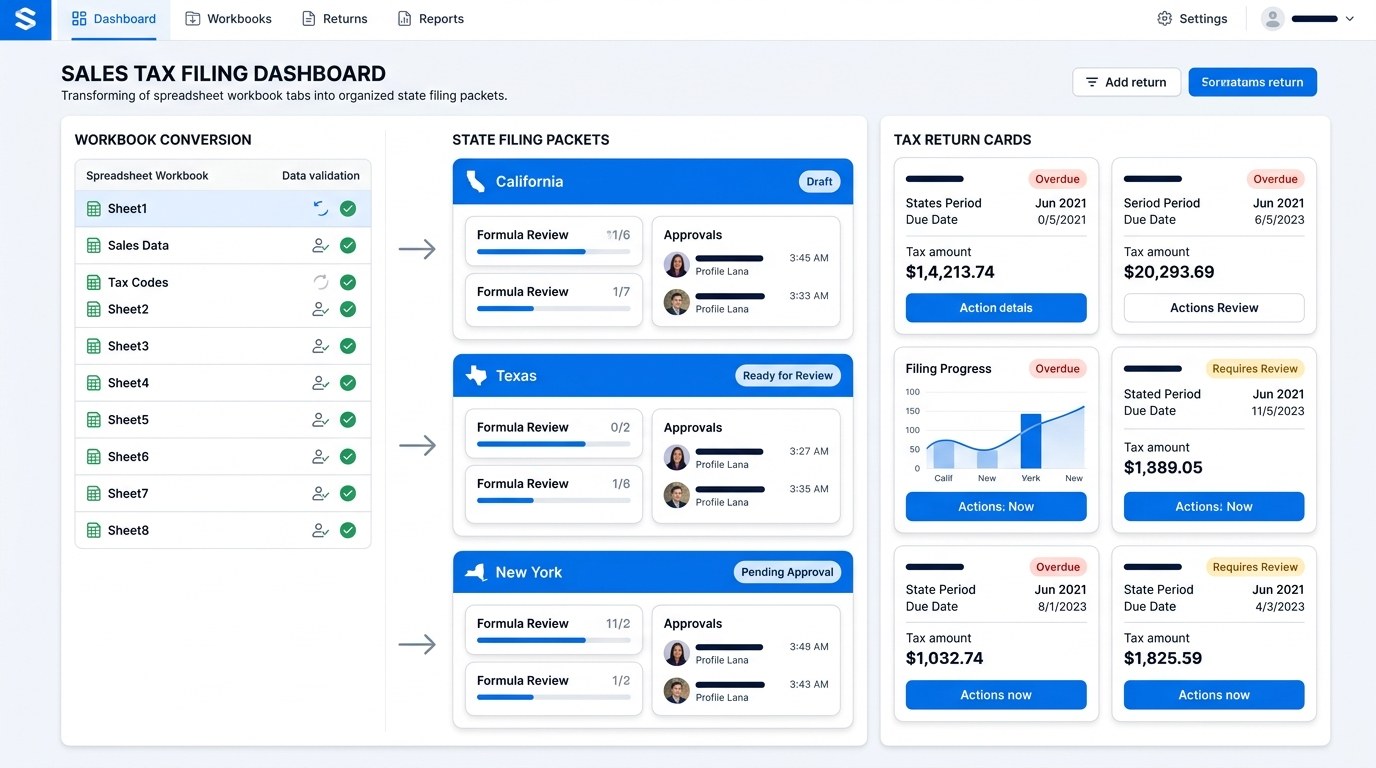
Excel handles adjusted reports, review tabs, and finance notes well.
Hidden formulas and manual edits can make returns hard to defend.
AtomicTax turns workbook data into filing support and archived proof.
Quick answer.
You can use Excel workbooks as the starting point for sales tax filing when the workbook clearly shows the filing period, source system, state-level totals, taxable sales, exempt sales, tax collected, refunds, marketplace treatment, and any manual adjustments. Excel is helpful because finance teams already use it for reconciliation. It becomes dangerous when the return depends on hidden formulas, unlabeled tabs, copied-over numbers, or one person's memory.
Microsoft documents Excel's ability to import and export CSV and text data, and Excel supports large worksheets. That makes it useful for sales tax analysis, but a workbook is not automatically a filing packet. A filing packet needs enough context for someone else to review the return later.
Fields that matter for sales tax filing from Excel.
The best Excel workbook is not the prettiest one. It is the one that preserves the fields needed to file accurately and defend the return if a state asks questions.
- Filing period: exact start and end dates for the return.
- State and destination: ship-to state, jurisdiction, or location fields when available.
- Sales channel: Shopify, Amazon, Walmart, eBay, Etsy, WooCommerce, Stripe, wholesale, or manual order source.
- Gross sales: sales before exclusions and deductions.
- Taxable sales: amounts that should be included in the tax base.
- Exempt sales: resale, wholesale, marketplace, or other exempt/reduced-taxability amounts.
- Tax collected: actual tax charged to customers or collected by a marketplace.
- Refunds and credits: returns, cancellations, discounts, and tax refunds.
- Adjustment notes: why numbers changed from raw export to filing summary.
Recommended workbook structure.
A strong workbook separates raw data from filing decisions. The raw export should remain untouched. Adjustments should happen in a separate tab with notes. The final state summary should show exactly what will be filed.
- Raw export tab: original data from ecommerce, marketplace, billing, or accounting systems.
- Cleanup tab: normalized state names, channels, dates, tax columns, refund handling, and duplicate checks.
- Marketplace tab: platform-collected sales separated from merchant-collected direct sales.
- Exemption tab: resale, wholesale, non-taxable, and exempt sales support.
- State summary tab: filing totals by state, period, and return type.
- Review tab: preparer notes, reviewer approval, expected payment, and filing confirmation after submission.
Where Excel sales tax filing breaks.
Excel breaks when it becomes a private language. Hidden columns, formulas with hard-coded fixes, copied summary numbers, manually deleted rows, and inconsistent tab names make the return hard to review. A state notice may arrive months later, and the business needs to explain exactly how the number was calculated.
Common failure points include marketplace sales being counted twice, refunds assigned to the wrong period, shipping taxability ignored, destination states missing from rows, and filing period filters applied inconsistently. These are not Excel problems by themselves. They are workflow problems that show up inside Excel.
How AtomicTax turns Excel into a filing packet.
AtomicTax treats the workbook as one input, not the whole process. The filing packet connects Excel totals to state obligations, source reports, reviewer notes, filing confirmations, and payment proof.
- Review workbook tabs and identify missing filing fields.
- Separate direct sales from marketplace-facilitated sales.
- Map gross, taxable, exempt, and tax-collected totals by state.
- Flag formula issues, unexplained adjustments, negative sales, and period mismatches.
- Prepare filing-ready summaries for active states.
- Archive the workbook, return confirmation, payment proof, and notes together.
Excel filing checklist.
Before sending a workbook for filing, make sure another person can understand it without a walkthrough.
- Does the workbook include the exact filing period?
- Are raw exports preserved without edits?
- Are marketplace sales marked separately?
- Are refunds and credits tied to the correct period?
- Are formulas visible and consistent across tabs?
- Are manual adjustments explained?
- Can gross sales, taxable sales, exemptions, and tax collected be traced to source data?
- Is there a final tab showing what should be filed by state?
FAQ.
Can I file sales tax from an Excel workbook?
Yes, if the workbook contains enough support to map sales, tax collected, exemptions, refunds, marketplace sales, and filing-period totals by state.
What makes Excel risky for sales tax filing?
Hidden formulas, manual overrides, unlabeled tabs, missing destination fields, and inconsistent marketplace treatment can make a return hard to review or defend.
Should raw export tabs be edited?
No. Keep raw exports untouched and make cleanup or adjustment changes in separate tabs with notes.
Can AtomicTax use Excel for filings?
Yes. AtomicTax can use Excel workbooks as part of a filing packet and complete standard sales tax filings for $45 per filing.
Sources and references.
Have an Excel filing workbook?
AtomicTax can turn Excel-based sales tax workbooks into reviewable filing packets and complete standard filings for $45 per filing.